

.


articles/Software/reflecmedia-page4
by Tom Lee Published 01/06/2011
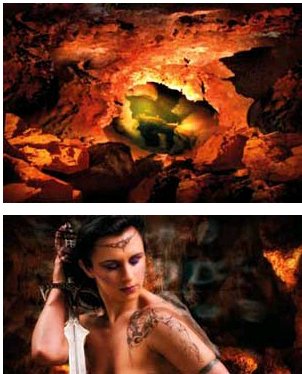
The RAW file, cut out PNG, the background and the final composite.
How green can it be?
Curious, we showed the LED light to our ambient light spectrophotometer to measure the colour of the output. It is typical of its type, with a peak output close to 530nm and very little spread. What amused us (it’s easy to do!) were the Lab values for the colour co-ordinates. Compared with a Macbeth Chart green, they were not on the same page as the graph and only just on the one next to that! Small wonder that something so far out in the gamut field is easy to isolate and cut out.
MMcN
How green can it be?
Curious, we showed the LED light to our ambient light spectrophotometer to measure the colour of the output. It is typical of its type, with a peak output close to 530nm and very little spread. What amused us (it’s easy to do!) were the Lab values for the colour co-ordinates. Compared with a Macbeth Chart green, they were not on the same page as the graph and only just on the one next to that! Small wonder that something so far out in the gamut field is easy to isolate and cut out.
MMcN
Increased sales may result from the limitless choice of backgrounds at your disposal and the need to store heavy and bulky muslins or canvases is no longer required. Portability is also a key factor in any studio that operates an ‘at home’ service. The amount of equipment required is much reduced when all you need is available light!
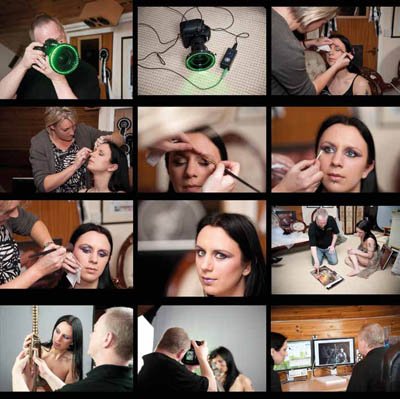
As far as complicated composites such as the Cave Warrior is concerned, you have to want to do this kind of stuff! That said, the job of keying the main components has just got a whole lot easier and there could be no more praise than yours truly putting a system on order! A video showing the test session is available on my You Tube channel... http://www.youtube.com/user/tomleephoto?feature=mhum
There are 0 days to get ready for The Society of Photographers Convention and Trade Show at The Novotel London West, Hammersmith ...
which starts on Wednesday 14th January 2026


Society of International Commercial and Industrial Photographers (SICIP) is a trading name of BPPA Ltd
The Society of Photographers
Clwyd Chambers, Clwyd Street, Rhyl, Denbighshire, LL18 3LA
BPPA Ltd Company Reg 0392 2894
VAT number 790 4289 05
Tel: +44 1745 356935


Home Page - Find a Photographer - Benefits of Membership - Professional Imagemaker Magazine - FREE information pack - Privacy - London Photography Show Europe's Largest 'All-Welcome' Photographic Convention
Newsletter
Subscribe to the Societies Newsletter. Subscribe here.